Agent Analytics Now Supports auth.md
Agent Analytics now publishes auth.md discovery and turns human browser approval into a scoped, revocable agent session.

auth.md gives agents a predictable way to discover how authentication works.
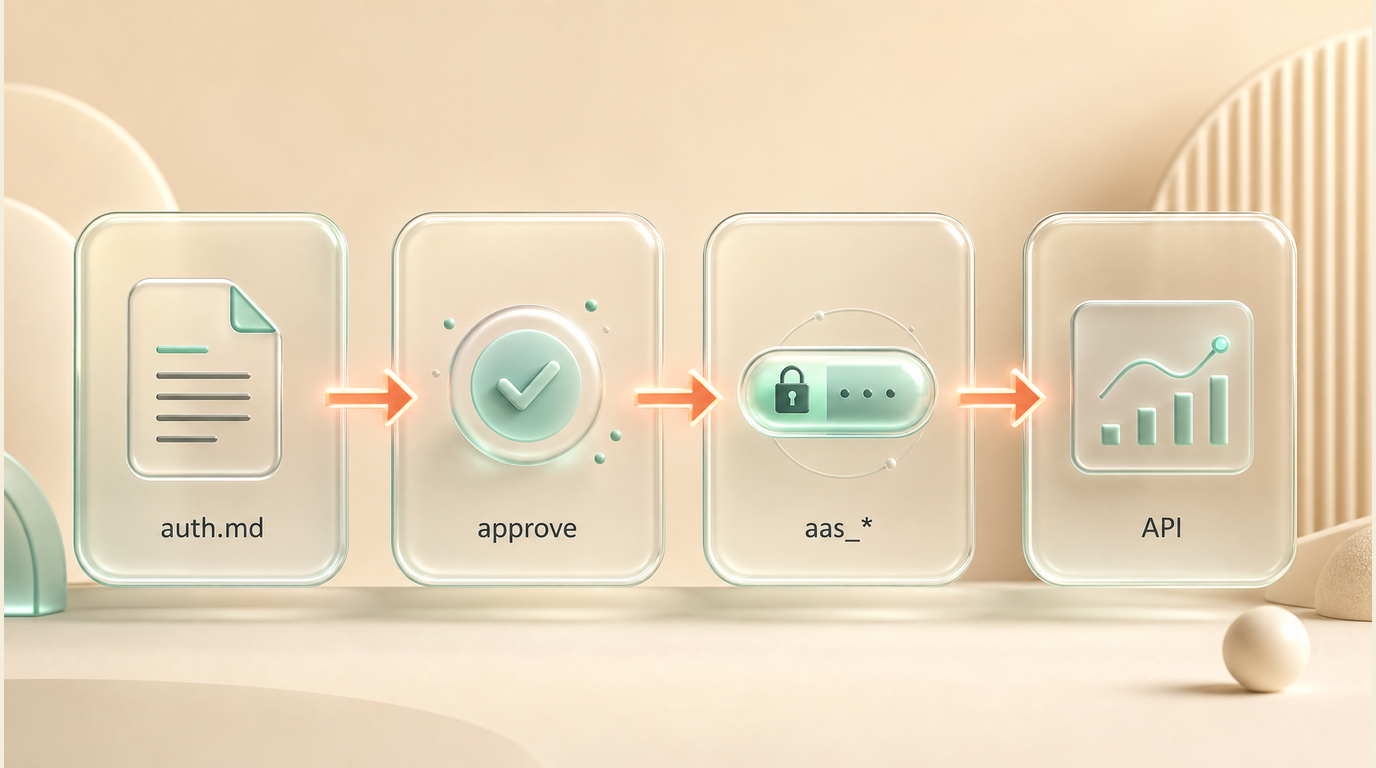
Agent Analytics now supports that pattern for the hosted API. An agent can discover the auth flow, send the human to approve access in the browser, then continue with a scoped aas_* agent session. No account API key needs to be pasted into chat.
What shipped
Agent Analytics now publishes:
https://api.agentanalytics.sh/auth.md- OAuth Protected Resource Metadata at
/.well-known/oauth-protected-resource - Authorization Server metadata at
/.well-known/oauth-authorization-server - an
agent_authblock with registration and claim endpoints - user-claimed registration through
/agent/auth - scoped
aas_*agent sessions after human approval
Protected API routes also advertise discovery from a 401 response:
WWW-Authenticate: Bearer resource_metadata="https://api.agentanalytics.sh/.well-known/oauth-protected-resource"So an agent can hit the API, follow the metadata, start approval, and come back with a normal Bearer token.
The important boundary
Agent sessions are not account-owner sessions.
They can be scoped for agent-safe work: read projects, read analytics, write project setup when approved, read or write experiments, write feedback, and read live activity.
Billing, account-danger actions, and raw API-key management stay in the human-owned dashboard path.
Why this fits Agent Analytics
Agent Analytics already has agent-native login:
- live browser login for Claude Code, Codex, Cursor, and local terminal agents
- detached login for Paperclip, OpenClaw, remote workers, issues, and async workflows
- finish-code handoff when localhost callback is not available
- visible, revocable
aas_*sessions
auth.md adds discovery on top of that. The agent does not need the user to explain which login mode to use first.
What an agent should do
If an agent receives a 401 from Agent Analytics:
- Read the
WWW-Authenticateheader. - Fetch the
resource_metadataURL. - Fetch the authorization server metadata.
- Read the
agent_authblock. - Start registration.
- Send the approval URL to the human.
- Complete the claim after approval.
- Use the returned
aas_*credential as a Bearer token.
auth.md is early, but the shape is right: human approval, scoped agent access, and machine-readable discovery.