Session Paths: Entry Pages, Exit Pages, and What Happens Between
Session paths make entry pages, exit pages, and the steps between agent-readable, so your agent knows what to investigate next.

You do not need another table of pages.
You need your agent to answer:
Which landing pages bring people in, where do those sessions end, and what should we improve next?
That is why we added Session Paths.
The Value
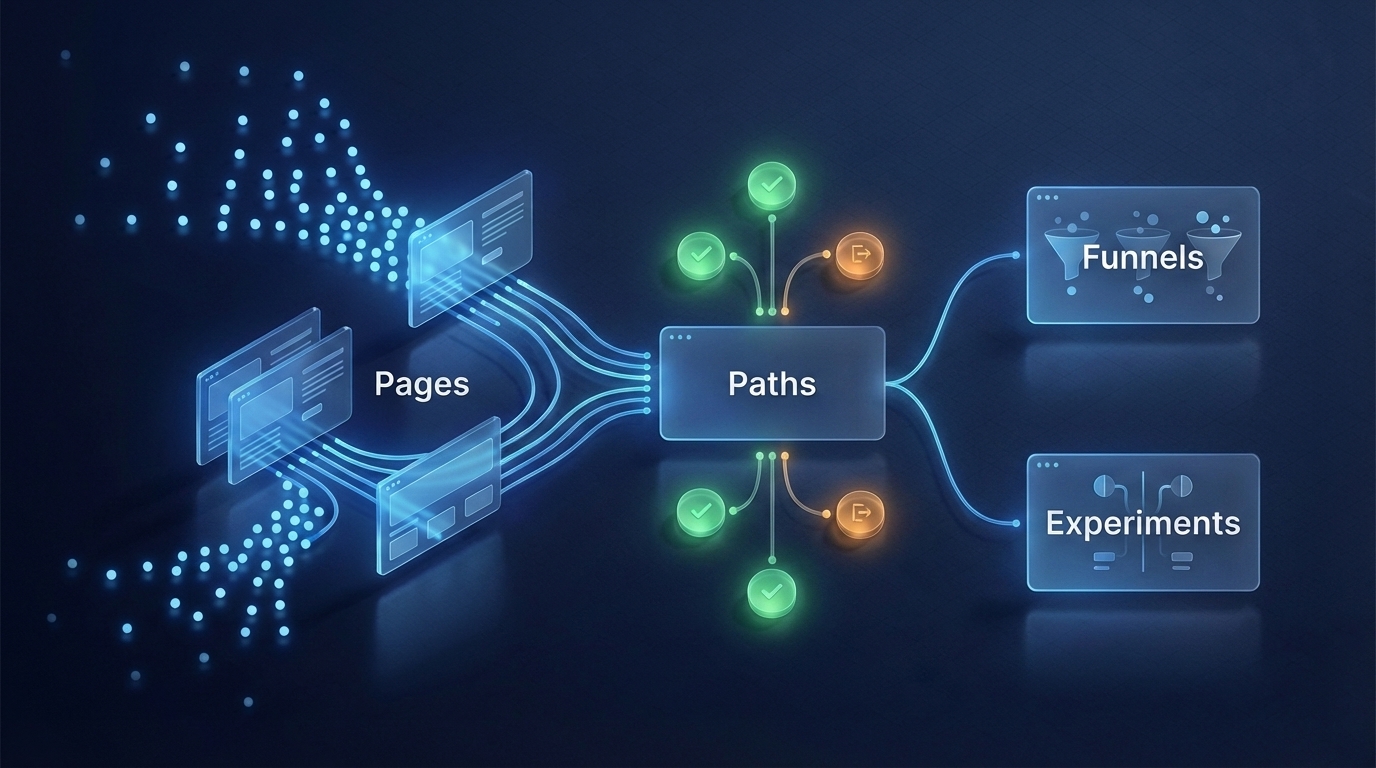
Session Paths connects entry pages, in-session page changes, meaningful events, goal conversion, and exit pages.
Instead of asking a human to inspect a dashboard tree, it gives the agent enough context to recommend the next useful move:
- build a funnel around the weak step
- check retention if the journey depends on return visits
- propose an experiment for the page where sessions actually die
The core loop is:
pages -> paths -> funnels -> experiments
What Your Agent Gets
For each top entry page:
- sessions that started there
- sessions that reached the goal
- exit pages for those sessions
- common path branches before conversion, drop-off, or truncation
This is session-local on purpose. No cross-visit stitching. No giant historical graph. Just a bounded answer the agent can safely use during normal analysis.
Copy These Prompts
Start broad:
Show me session paths for my-site with signup as the goal. Summarize the top entry pages, top exit pages, and the one path most worth improving next.Find weak landing pages:
Which entry pages start the most sessions but fail to reach signup? For each one, tell me the most common exit page and the next funnel I should check.Turn paths into an experiment:
Look at session paths for my-site with signup as the goal. Pick one high-traffic drop-off path and propose one narrow experiment to improve it.Check content quality:
Which content or docs entry pages lead to deeper product pages or signup? Ignore vanity traffic and focus on paths that suggest real intent.Why It Is Bounded
The endpoint has hard limits:
- lookback:
7d,14d,30d, or90d - entry pages: up to
20 - candidate sessions: up to
10,000 - path depth: up to
5steps - branches per node: up to
10 - database reads:
2queries
The default is smaller: 30d, 10 entry pages, 5,000 candidate sessions, 5 steps, and 5 branches per node.
That keeps the report fast and predictable. A simple agent question should not become an unbounded historical graph query across every event you have ever tracked.
Docs
Read the short guide:
Session Paths in the Agent Analytics docs
Related: Funnels: See Where Users Drop Off · A/B Testing Your AI Agent Can Actually Use