Agent Analytics Now Supports WebMCP
Open a live analytics page, ask a product question, and let your AI agent call structured read-only tools while you inspect the same evidence on screen.
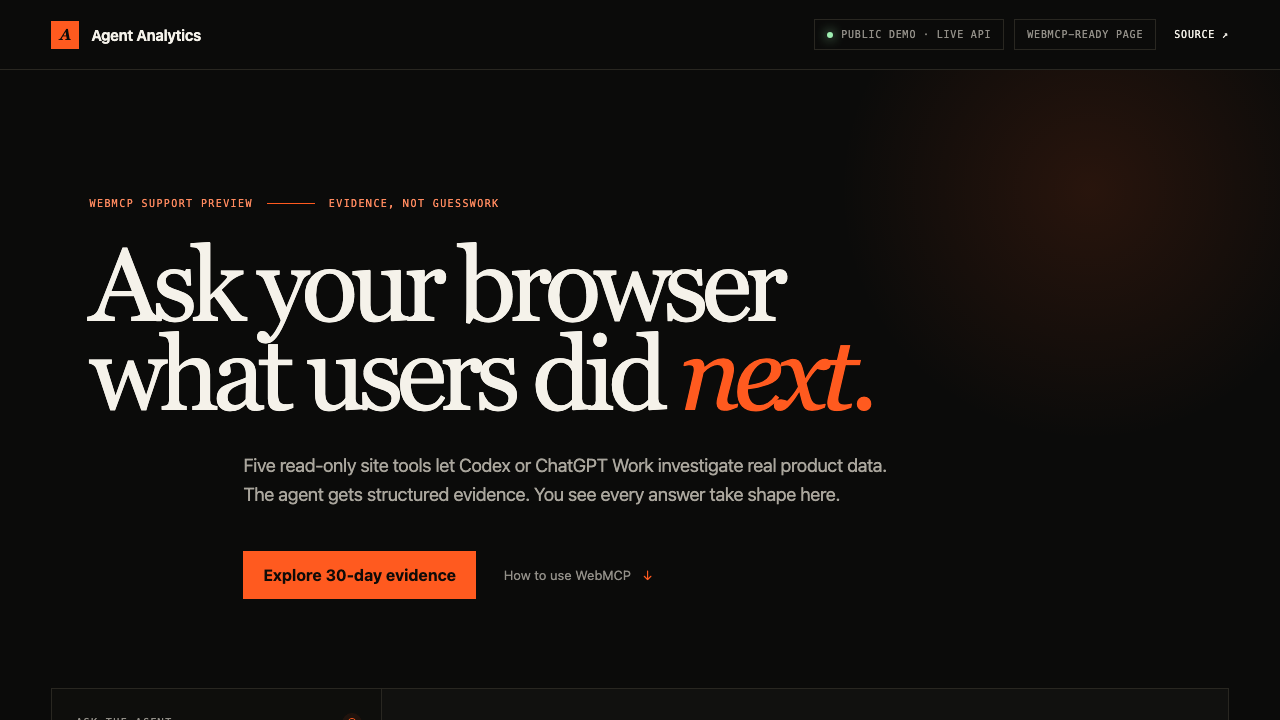
Agent Analytics now has a WebMCP evidence explorer.
Open the page in a compatible ChatGPT or Codex built-in browser, ask a product question, and the agent can call structured analytics tools directly from the page. You see the same funnel, path, breakdown, or experiment evidence appear on screen.
Try the public WebMCP explorer
Ask a question, not for a dashboard click
Start with:
Find the biggest signup leak and show me the evidence on the page.Then try:
Which entry page produces the strongest signup path?Compare the signup CTA experiment variants. Is there enough evidence to call a winner?The agent chooses from five read-only site tools for growth overview, funnels, conversion paths, conversion breakdowns, and experiment results.
Why WebMCP fits analytics
Browser automation can click through a dashboard, but it still asks the agent to infer meaning from pixels. A traditional MCP connection gives the agent structured data, but it is separate from the page the person is watching.
WebMCP gives both sides what they need: typed evidence for the agent and a visible result for the person. Agent calls and manual controls use the same execution path, so there is no hidden agent-only answer.
Read-only on purpose
This first release is a public support preview backed by seeded demo data. It does not expose customer projects or account data.
The five tools cannot change experiments, create projects, manage billing, read keys, or mutate an account. Inputs are validated in the page and again by a same-origin Worker. A short-lived demo credential stays on the server.
For your own project data, keep using the Agent Analytics CLI, MCP server, skill, or API. Signed-in project support through WebMCP is a later step, not a claim we are making today.
Try it and inspect the source
The useful part is not that an agent can press a button. It is that the page can expose the semantic operation behind the interface—and keep the evidence visible while the agent reasons about what to do next.