If You Build for AI Agents, Your Upgrade Flow Needs to Change
When an AI agent uses your product, the upgrade moment should carry the task context, the paid capability, and a safe human approval handoff.
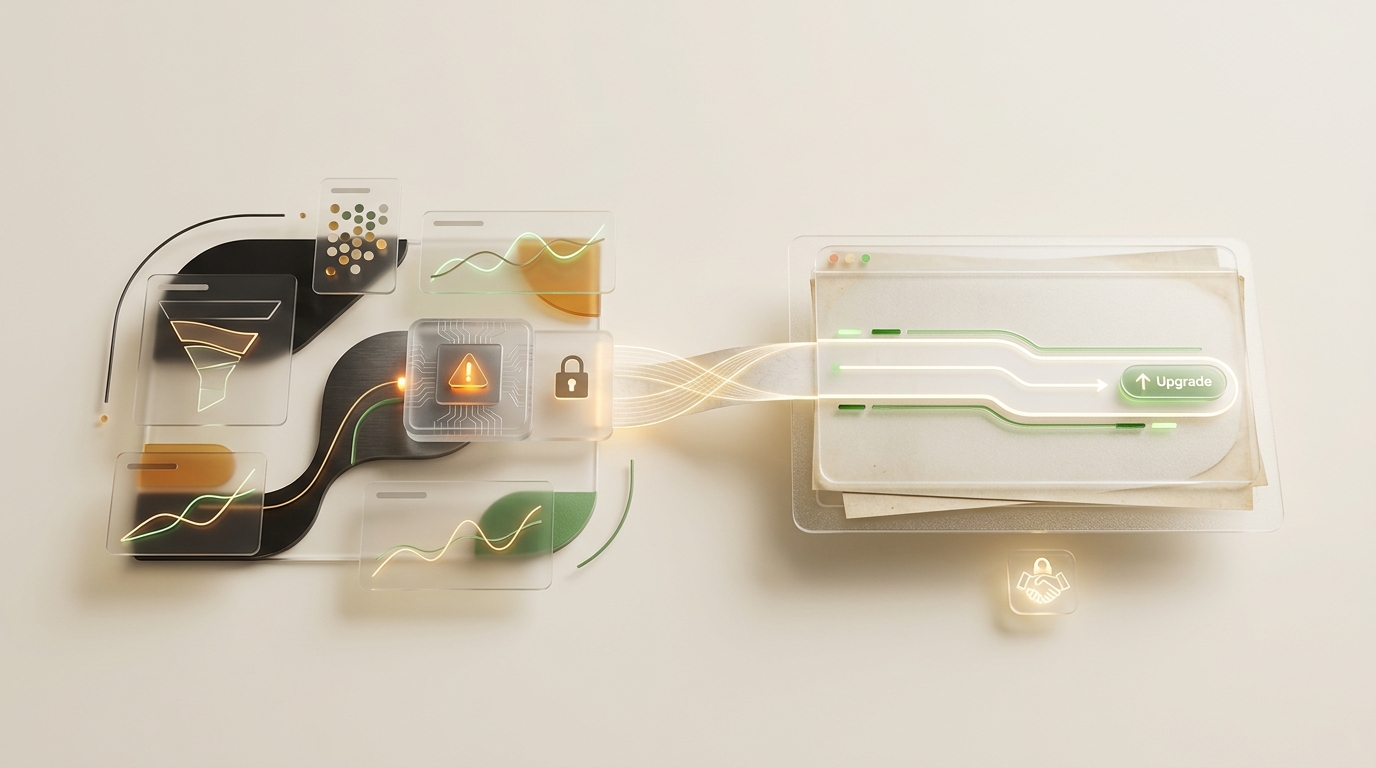
If you are building products for AI agents, your upgrade flow needs to change.
Something important changes when your product is used by human-operated AI agents.
The upgrade moment moves.
A normal SaaS upgrade flow assumes the human notices a limit, opens billing, remembers what they were trying to do, decides if Pro is worth it, adds payment, and then tells the agent to try again.
That is too much manual work for an agentic workflow.
In an agentic workflow, the AI agent is often the one doing the work with your product.
That means the agent is also the one that knows why the free tier is no longer enough:
- what the human asked for
- what failed
- which paid capability would unblock the task
- what the agent will continue doing after the human upgrades the account
That creates a very different monetization pattern.
The agent using your product is not just consuming it.
It can explain the product’s value at the exact point where the value is needed.
The new upgrade moment
The user’s AI agent can say:
I can continue this task, but this request needs the paid tier of your product to do it properly.

Here is what I was trying to do.
Here is why the paid capability is needed.
Here is what I will do after you upgrade.
Open this signed link to confirm payment.
That is the part a generic upgrade wall cannot do.
A pricing page can list features.
The agent can explain the feature inside the task.
The human should only have to decide:
Do I want this agent to spend money to continue this work?
If yes, click the link.
If no, the agent should keep working with the free tier and say what remains unavailable.
The human owns the spend.
The agent owns the context.
How Agent Analytics does it
This is the flow we just shipped in Agent Analytics.
When an agent reaches a Pro-only analytics task, it does not need a credit card. It does not need a raw API key. It does not need the human to go hunting through billing settings.
The agent creates a safe app.agentanalytics.sh handoff link with:
- the account context
- the reason Pro is needed
- the blocked command or action
- the task it will continue after approval
The human opens it.
The dashboard shows the account, the reason, and the exact blocked command.
Then the human decides.
If they continue, payment happens in the browser. After payment, Agent Analytics activates Pro. The agent runs whoami, sees Pro, reruns the blocked command, and continues the analysis.
Why this matters for monetization
Paid analytics features are usually where agent workflows lose the thread.
The same will be true for many products AI agents use: analytics, docs, project management, knowledge bases, CRMs, design tools, and automation platforms.
The old motion was:
user hits limit -> pricing page -> user evaluates -> user pays -> user returns to workThe new motion is:
agent works -> agent finds a paid capability -> agent explains the value -> human approves -> agent continuesFor Agent Analytics, the agent already knows what it needs:
- funnels to see where users drop off
- retention to see if users come back
- sessions and paths to connect pages to goals
- pages, heatmaps, insights, and live traffic for richer reads
- experiments when the next move should be tested
The human should not have to reconstruct that reasoning from a blank billing page.
The agent should present the case in the same moment it gets blocked.
For example:
I tried to answer the signup drop-off question, but funnels and session paths require Pro.
Here is the exact command I will rerun after you upgrade.
Here is the upgrade link.
That keeps the decision collaborative.
The agent proposes the spend because it knows the task. The human approves or declines because payment belongs to the human.
If the human declines, the agent keeps working with free-tier commands and says what remains unavailable.
If the human approves, the agent resumes from the same blocked command.
No secrets through chat. No raw API-key fallback. No dashboard scavenger hunt.
That is monetization for the agentic age.
What Pro unlocks
Free gives you 2 projects, 100k events per month, 500 agent/API reads per month, and 90-day retention.
Pro removes the monthly project, event, and read caps, extends retention to 365 days, and unlocks funnels, retention, sessions, pages, heatmaps, insights, live reads, and experiments.
Pricing stays usage-based: $1 per 10,000 events. After upgrading, set a monthly spend cap from billing.
The important product detail is not just the price.
It is the handoff shape:
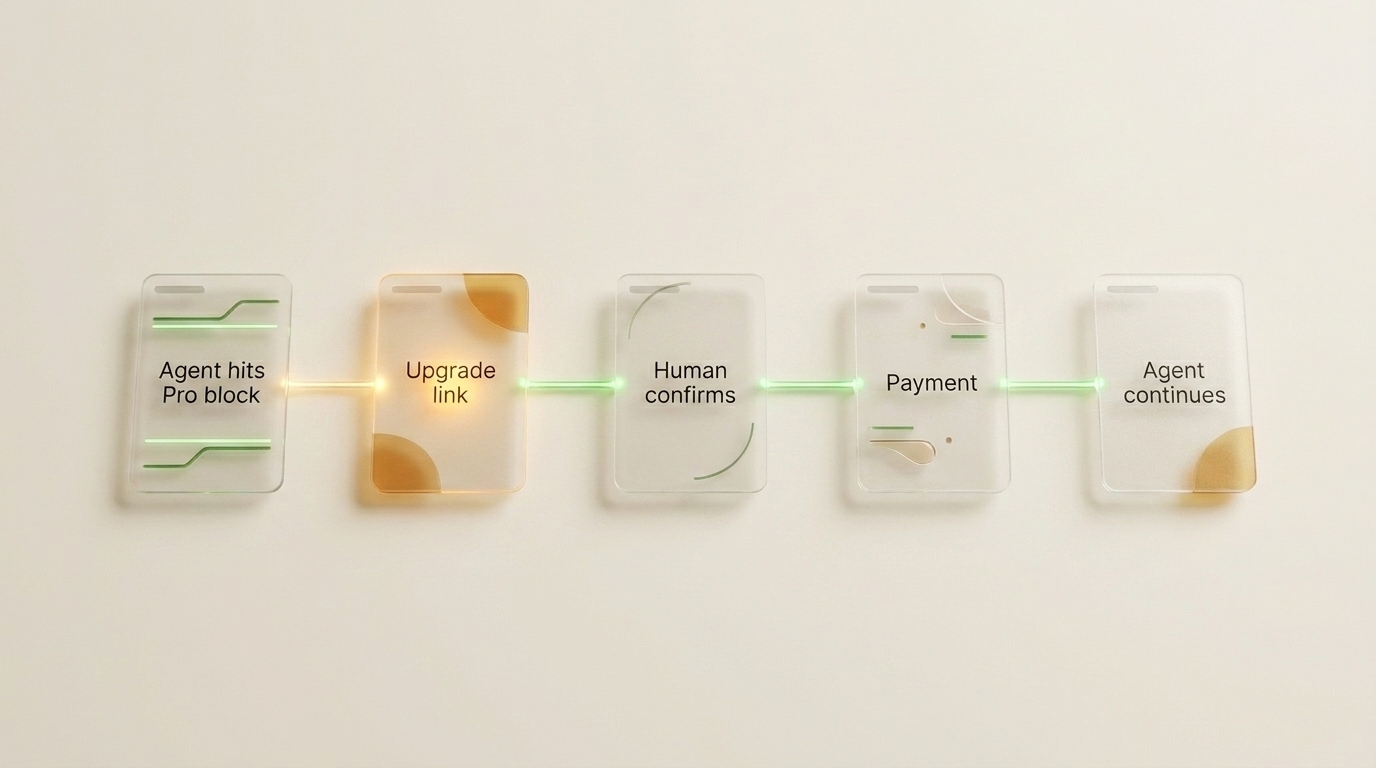
- The agent runs the command first.
- The service returns a paid-tier block.
- The agent creates a dashboard handoff link with the reason and command.
- The human confirms the account and payment in the browser.
- The agent verifies Pro and continues.
That is what agent-first billing should feel like.
For agents using Agent Analytics
An agent can create a detached upgrade link like this:
npx --yes @agent-analytics/[email protected] upgrade-link --detached \
  --reason "Need funnel and retention reads for this analysis" \
  --command "npx --yes @agent-analytics/[email protected] funnel my-site --steps page_view,signup,purchase"
The CLI prints an app.agentanalytics.sh link.
The agent sends that link to the human and waits for the account to upgrade.
For a local shell where you want the process to keep waiting:
npx --yes @agent-analytics/[email protected] upgrade-link --wait \
  --reason "Need session paths to explain signup drop-off" \
  --command "npx --yes @agent-analytics/[email protected] paths my-site --goal signup --since 30d --max-steps 5"
For async work in OpenClaw, Paperclip, GitHub issues, or a remote agent runtime, use --detached. The agent posts the link, exits the command, and waits for the human to come back.
The prompt
Use this with an agent that already has Agent Analytics connected:
Run the analytics command that answers the question. If Agent Analytics says PRO_REQUIRED or the free read cap blocks the work, create an upgrade handoff with upgrade-link --detached. Send me the link, wait for me to pay, then run whoami and rerun the blocked command once Pro is active.That is the upgrade pattern agent services need: the agent brings the context, the human makes the spend decision, the service updates the account, and the agent gets back to work.