If You Use Hermes to Handle Your Projects, You Need Agent-Readable Web Analytics
Hermes can handle your projects, ship changes, and keep context. Agent-readable analytics closes the loop so Hermes can see what users actually did after the work shipped.
Hermes Agent is one of the clearest examples of what real agent software should feel like.
It can handle projects, use tools, keep context, and keep moving without collapsing back into a chat-only workflow.
That is exactly why we wanted Hermes represented properly inside Agent Analytics docs.
And now it is.
But once Hermes ships something, the next question is still the one that matters most:
what did the user actually do after that work went live?
That is where Agent Analytics fits.
Hermes can handle the projects. Agent Analytics helps Hermes measure whether the work changed anything for a real user.
Hermes can execute the work. Agent Analytics measures whether it worked.
Hermes is strong at operating loops:
- inspect
- decide
- change
- verify
- continue
What most teams still miss is the end-user side of that loop.
They can see that Hermes updated a landing page, rewrote docs, added onboarding steps, or shipped a new experiment.
They still need an agent-readable way to answer:
- did more people click into setup?
- did the docs change lead to more signups?
- did the new onboarding path create more projects?
- did users reach the first event that proves the setup is real?
That is the missing feedback loop.
Hermes is now in the Agent Analytics docs
We just added a dedicated Hermes installation guide to Agent Analytics docs:
It covers the clean path:
- install the Agent Analytics skill from ClawHub
- keep Hermes on the pinned official CLI
- use detached browser approval as the default login flow
- create the project, run website analysis, install only the first useful events, and verify them
That matters because Hermes should not just have analytics available. It should have a workflow that matches how agent runtimes really work.
Quick install: copy these prompts into Hermes
If you want the fastest path, copy one prompt for the full skill and one prompt for the skin.
Full skill install:
Install the Agent Analytics skill for me from ClawHub. Use `clawhub/agent-analytics`, install the regular Agent Analytics skill, and tell me when it is ready to use.Skin install:
Install the Agent Analytics Hermes skin for me. Download https://docs.agentanalytics.sh/downloads/agent-analytics-hermes-skin.yaml into ~/.hermes/skins/agent-analytics.yaml, switch my current skin to agent-analytics, and tell me when it is active.If you want the full setup guide and screenshots, use the Hermes installation guide.
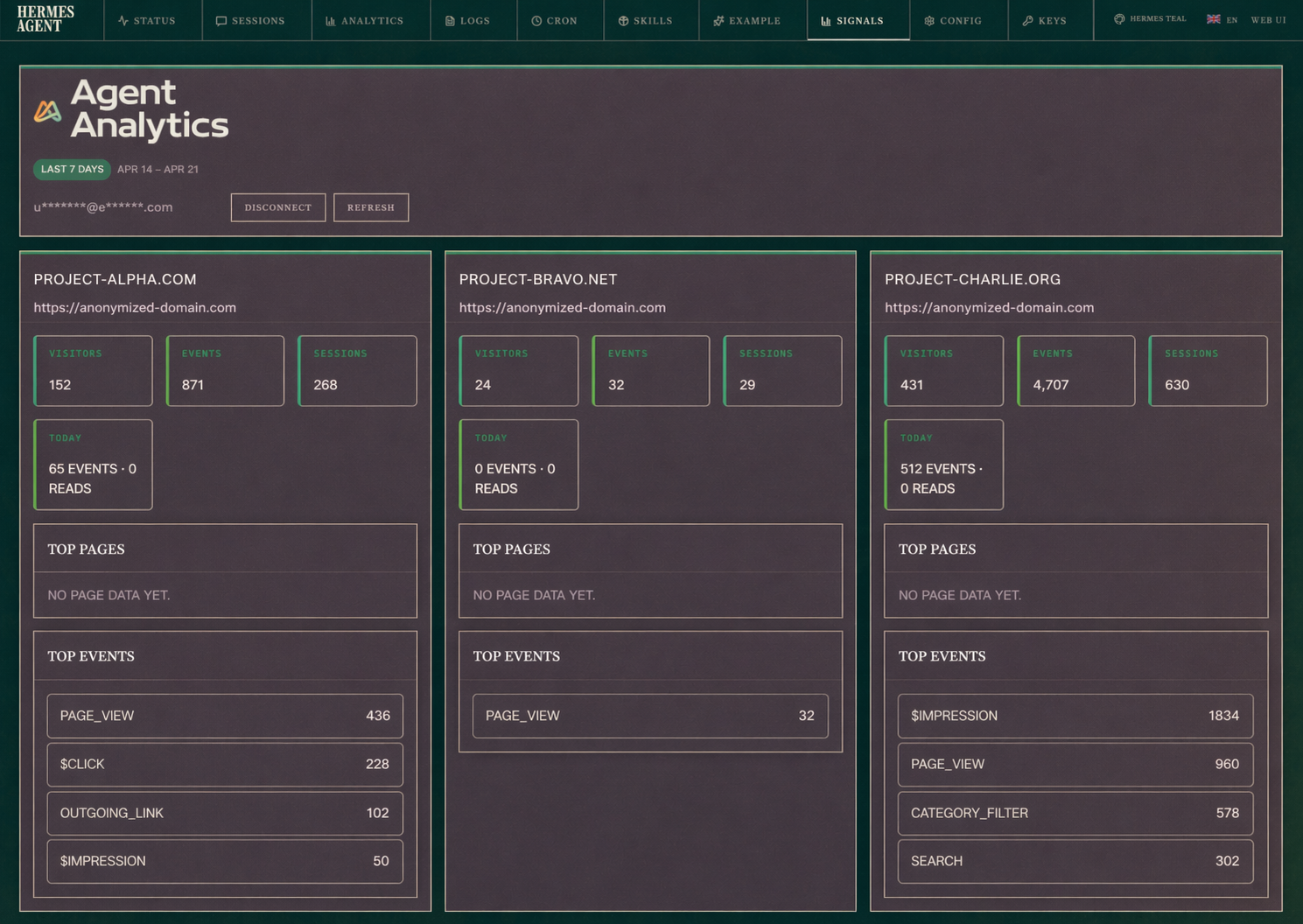
And if you want the native dashboard surface inside Hermes, add the plugin too:
The first Hermes growth loop is simple
For most products using Hermes, the first useful loop is simple:
- Hermes ships or updates a page, docs flow, or onboarding step
- a user lands on the right surface
- the user decides whether the setup looks credible
- the user signs up
- the user creates a project or reaches the first real activation step
- Hermes reads the analytics and decides what to improve next
That is the real Hermes growth loop.
It is not just “task completed.”
It is:
- shipped
- measured
- interpreted
- improved
Why Hermes especially benefits from agent-readable analytics
Hermes is at its best when it can keep working from evidence.
That means the analytics system should be readable and usable by the agent itself, not just by a human in a dashboard.
With Agent Analytics, Hermes can work from:
- stats
- events
- funnels
- paths
- experiments
- project context
- portfolio context across related surfaces
That last part matters more than it seems.
A lot of teams now run multiple connected surfaces:
- landing page
- docs
- directory or ecosystem pages
- product app
- GitHub or open-source repos that push people into docs and setup
Hermes can already work across them. Portfolio context helps it interpret them as one shared growth system instead of four unrelated properties.
That idea is directly connected to how we think about self-improving context too. Agent Analytics project context was inspired by Hermes’ self-learning model: durable product truth should stay close to the work, so the next analysis starts smarter instead of cold. If you want the deeper explanation, read Project Context, Portfolio Context, and Self-Improvement for AI Agents.
One concrete example:
- someone discovers the project on GitHub
- they click into docs
- docs becomes the education and setup surface
- from docs they go to signup
- then they become a real user in the product
If you only look at one surface at a time, that loop is hard to understand. If Hermes can read the shared context across those surfaces, it can reason about what is actually moving users toward value.
We also added an Agent Analytics Hermes skin
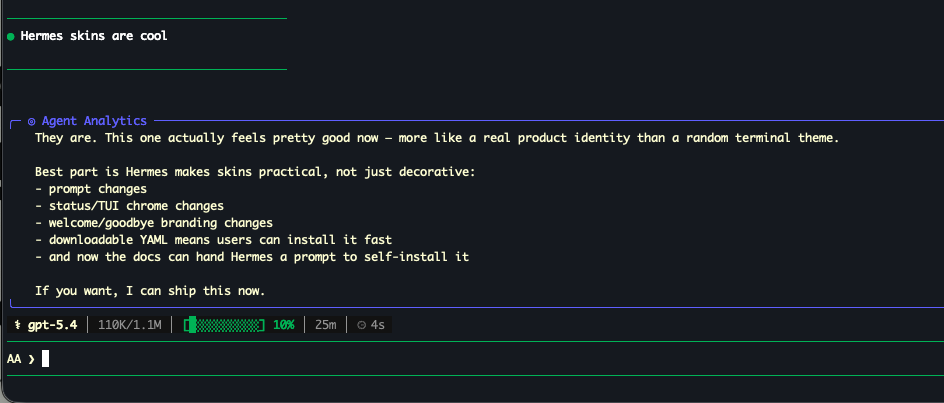
There is now also a Hermes skin based on the Agent Analytics palette, and it is included in the Hermes docs page too.
That is not the core product story, but it is a nice signal:
Agent Analytics is not treating Hermes as an afterthought. Hermes now has a first-class install path and a native-feeling presentation inside the workflow.
If you want it:
What this unlocks in practice
Once Hermes can both ship changes and read real user outcomes, you get a much better loop:
- Hermes updates the docs
- Agent Analytics shows whether that increased qualified setup intent
- Hermes finds where users leak between docs, signup, and first project
- Hermes proposes the next experiment
- Agent Analytics measures whether it helped
That is the workflow we want more teams to have.
Not just agent output.
Measured user progress.
Start here
If you use Hermes and want the clean setup path:
- read the Hermes installation guide
- install the Agent Analytics skill from ClawHub
- use the public Product Growth Scanner to see what your site should measure first
Hermes is excellent at doing the work.
Agent Analytics helps Hermes see whether the work moved a real user closer to value.
That is the loop worth celebrating.
Related: If You Use 📎Paperclip, You Need Agent-Readable Web Analytics · Project Context, Portfolio Context, and Self-Improvement for AI Agents · Talk to Your Analytics